Capture the reason.
Use categorized downtime reasons and operator notes to explain an event. Reason attribution supplies context for availability loss; it does not by itself calculate full OEE.
OEE Tracker v2
A local production-reporting workflow that brings machine records, operator explanations, and maintenance resolutions together.
 Open full size
  Open full size
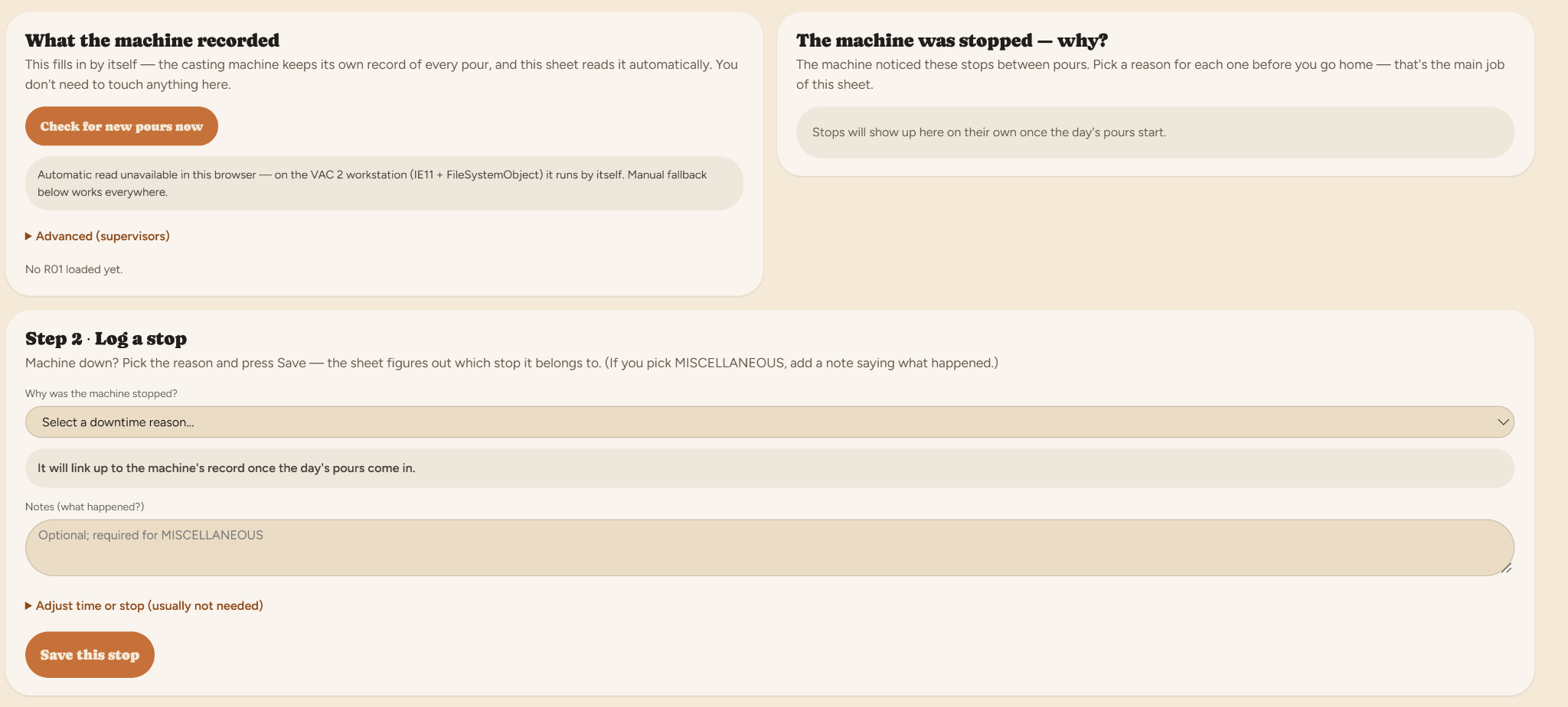
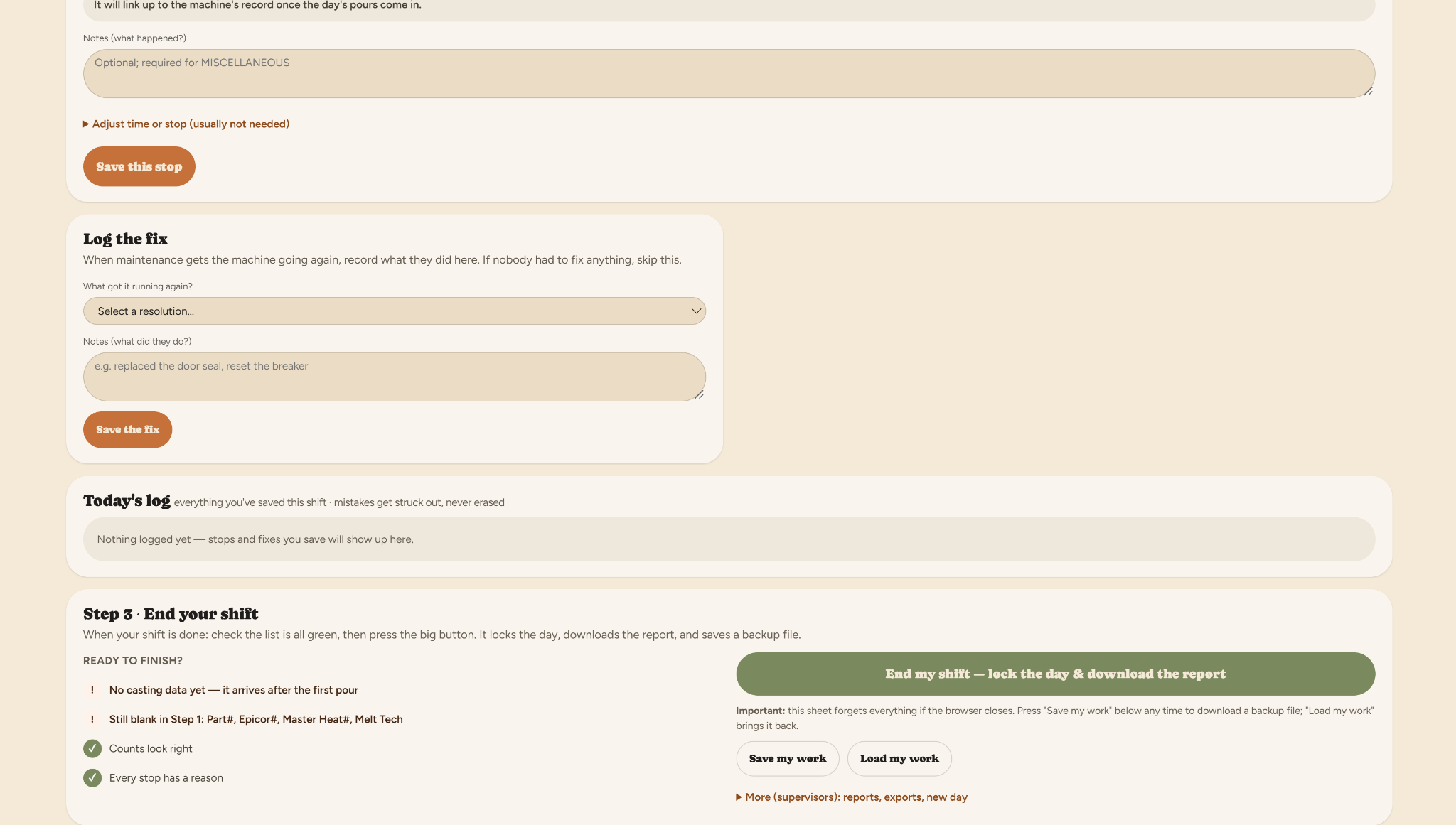
 Original OEE Tracker v2 screenshots: record a stop, log the maintenance fix, review the shift, and prepare its report. Open either image at full size to inspect the interface.
Machine records establish when events happened. Operators and maintenance teams hold the context: why the process stopped, what was done, and what belongs in the production report.
Build around the workstation’s constraints. Keep production setup, source records, downtime attribution, maintenance resolutions, and reporting in a local workflow, with the independent fault logger retained as a fallback.
Use categorized downtime reasons and operator notes to explain an event. Reason attribution supplies context for availability loss; it does not by itself calculate full OEE.
The dashboard brings casting-software records together with confirmed operator-entered production information.
Maintain downtime events and maintenance-resolution events as separate records so the report preserves their relationship.
Carry the run and shift information into the reporting workflow. The remaining project work is verification of report outputs.
Useful reporting preserves both the machine’s timing and the operator’s explanation.
A similar challenge?